

RFQ Management
Compare proposals with clarity
Send RFQs, collect proposals, and compare bids side by side.
Part of the Groundbreak IQ project workspace.
Project · RFQs · Invited firms
- Responded
Responded
A structured response is in.
- Sent
Sent
Invitation delivered, link still live.
- Expired
Expired
The deadline passed unanswered.
- Failed
Failed
Delivery failed — the invitation never arrived.
Derived on read from the response, the link’s expiry and the delivery result. A submitted response always wins.
The problem
Three firms replied. Three different formats.
One quotes a lump sum, one quotes hourly, and one attaches a PDF with the fee schedule on page four. Before you can compare anything you have built a spreadsheet — and now you are comparing your own transcription rather than their proposals.
Groundbreak sends one scope to everyone and brings the answers back in one shape: fee, timeline, team, experience and attachments, in a column per firm. Pick the winner in the same table and it becomes the project’s assignment.
What it does
Same question, same shape, same table.
Four things an email thread cannot do.
Project · RFQs · New RFQ
- Required
Title
- Optional
Scope
Up to 5,000 characters.
- Optional
Response deadline
Shown to every invited firm.
- Any
Attached documents
Picked from the project’s own files, or uploaded here.
- Your pick
Invited firms
From this project’s shortlist.
Uploading from this form goes through the same validation, the same bucket and the same table as the Documents tab — never a parallel path.
Project · RFQs · Responses
Fee proposal
Currency, aligned for comparison.
Proposed timeline
Team assigned
Who the firm would actually put on it.
Relevant experience
Attachments
Submitted
Timestamped on the firm’s side.
Six fields, one column per firm. While responses are still outstanding the table says how many of the invited firms it is comparing.
Invitation · Token
- Per firm
Invitation link
Unique to that firm, for that RFQ.
- Dated
Expires
After the deadline the link stops working.
- Timestamped
Used at
Recorded when the response is submitted.
- None
Account required
Expiry is evaluated on read rather than written back, so a lapsed link is never a stale row somebody forgot to update.
Response · Evaluation
- Numeric
Score
Yours, per response.
- Per response
Notes
Free text, attributed to whoever wrote them.
- Never
Visible to the firm
The provider sees the RFQ and its own response. It never sees your evaluation of it, or that there is one.
See it in the product.
One RFQ inside a live project workspace, part-way through its responses.
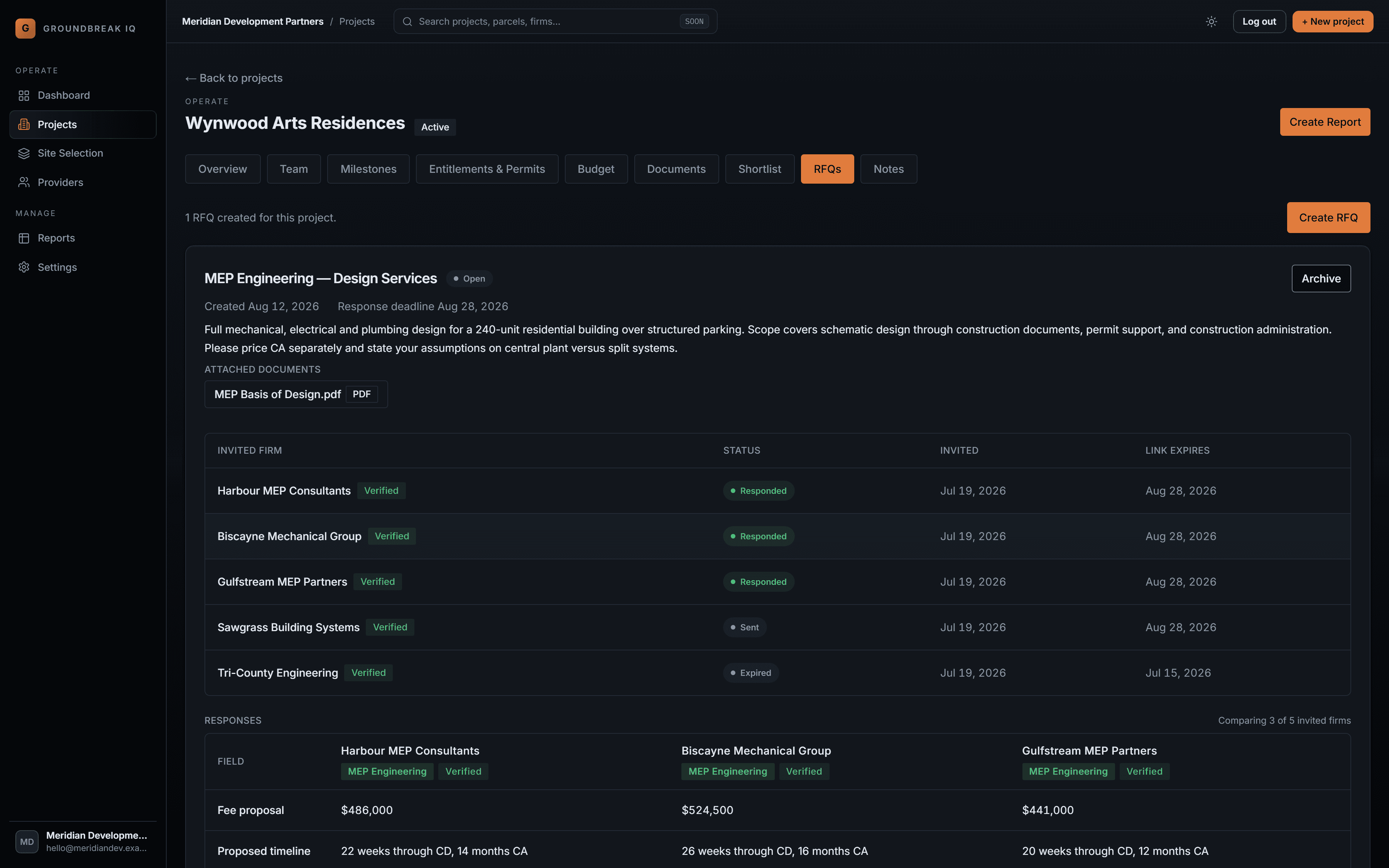
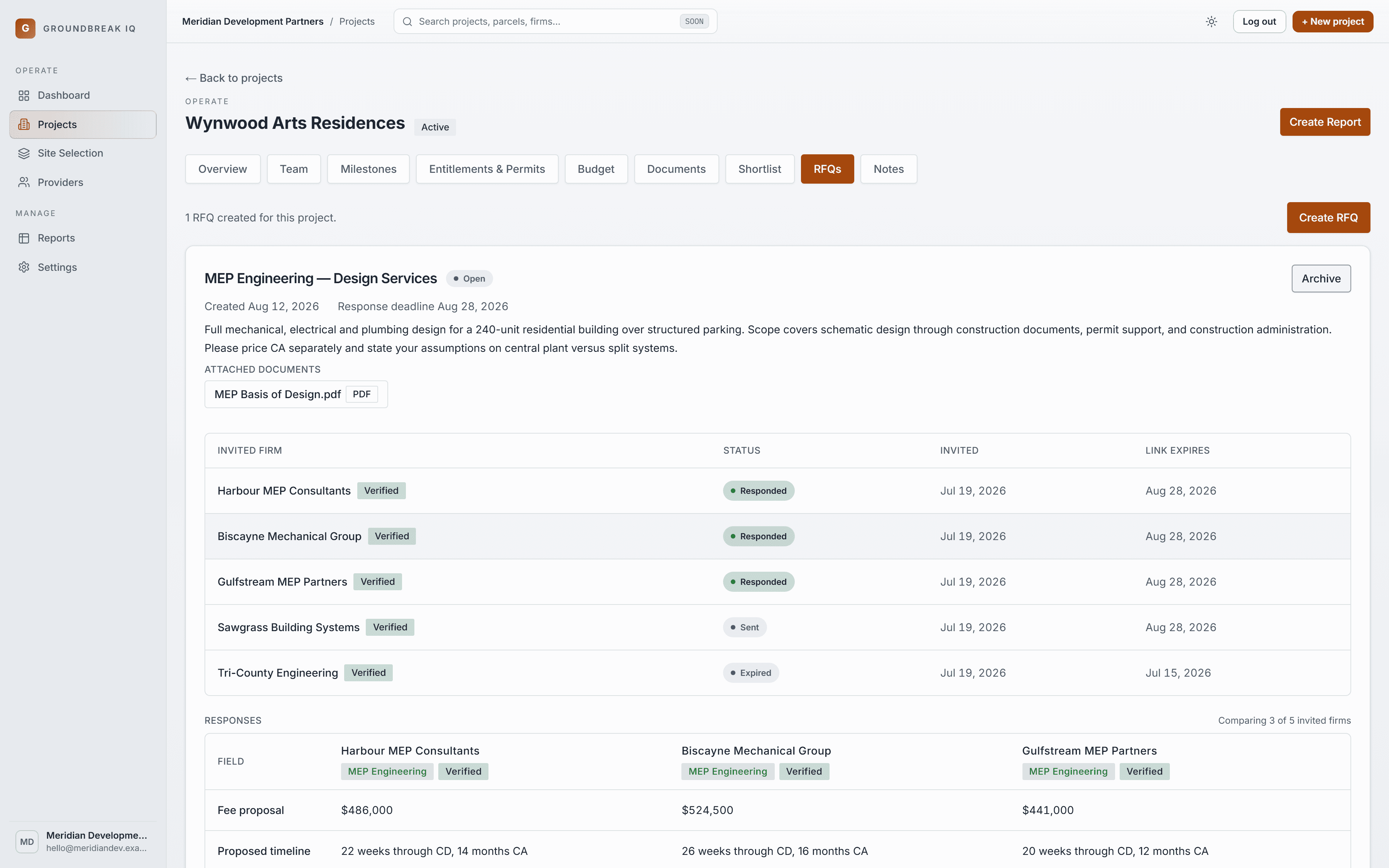
Five invited firms — three responded, one still open, one whose link expired — and the three responses lined up field by field beneath.
Stop building the comparison spreadsheet.
One scope out, structured responses back, side by side — and the firm never needs an account to answer.