

Milestone Tracking
Know what's due and who's responsible
Track project schedules, deadlines, and responsibilities.
Part of the Groundbreak IQ project workspace.
Wynwood Arts Residences · Milestones
Milestones
8
Complete
2
Overdue
1
- Complete
Entitlements/Zoning Approved
Dec 14, 2025 – Mar 15, 2026 (3 mo) · Atlantic Studio Architecture
- Complete
Design Development Complete
Mar 4, 2026 – May 4, 2026 (2 mo) · Everglade Civil Engineering
- Overdue
Construction Documents Complete
Jul 12, 2026 – Nov 11, 2026 (4 mo) · Atlantic Studio Architecture
- On track
GC Selected
Oct 10, 2026 – Apr 11, 2027 (6 mo) · Coastline General Contracting
2 of 8 milestones complete.
The problem
A programme in a PDF is out of date the day after it is issued.
Design development slips two weeks. The date moves in one person’s file, and the next three people to ask are told the old one — usually at the next progress meeting, which is a fortnight too late to do anything about it.
Groundbreak puts the whole programme on one timeline inside the project: every milestone, the discipline responsible, and the firm currently assigned to it. Change a date and its status is recomputed the next time anyone opens the tab.
What it does
A schedule that recomputes itself.
Four things a programme in a PDF was never going to do.
Wynwood Arts Residences · Timeline
- 3 moComplete
Entitlements/Zoning Approved
Dec 14, 2025 – Mar 15, 2026
- 2 moComplete
Design Development Complete
Mar 4, 2026 – May 4, 2026
- 4 moOverdue
Construction Documents Complete
Jul 12, 2026 – Nov 11, 2026
- 6 moOn track
GC Selected
Oct 10, 2026 – Apr 11, 2027
- 3 moOn track
Permits Issued
Dec 29, 2026 – Mar 30, 2027
Durations are months, not a critical path. Milestones are ordered and dated; they do not depend on one another.
Wynwood Arts Residences · Status
- Complete
Complete
Marked done by someone. The only stored state.
- Overdue
Overdue
Target date is in the past and the milestone is not complete.
- On track
On track
Target date is still ahead.
- Date not set
Date not set
No target date yet — not the same as on track.
Nothing here is stored except completion, so the timeline cannot drift out of date while nobody is looking at it.
Wynwood Arts Residences · Timeline · Disciplines
- Atlantic Studio Architecture
Entitlements/Zoning Approved
Architecture
- Everglade Civil Engineering
Design Development Complete
Civil Engineering
- Coastline General Contracting
GC Selected
General Contracting
- Not yet assigned
Permits Issued
Permit Expediting
The firm is never written onto the milestone. Assign a different one on the Team tab and this row follows.
A new project · Seeded milestones
- 12.5%
Entitlements/Zoning Approved
- 25%
Design Development Complete
- 37.5%
Construction Documents Complete
- 50%
GC Selected
- 62.5%
Permits Issued
- 75%
Construction Start
- 87.5%
Substantial Completion
- 100%
Certificate of Occupancy
Target dates shown here are a rough starting scaffold, not a real schedule prediction — adjust each milestone to reflect your actual plan.
See it in the product.
The timeline as it appears inside a live project workspace.
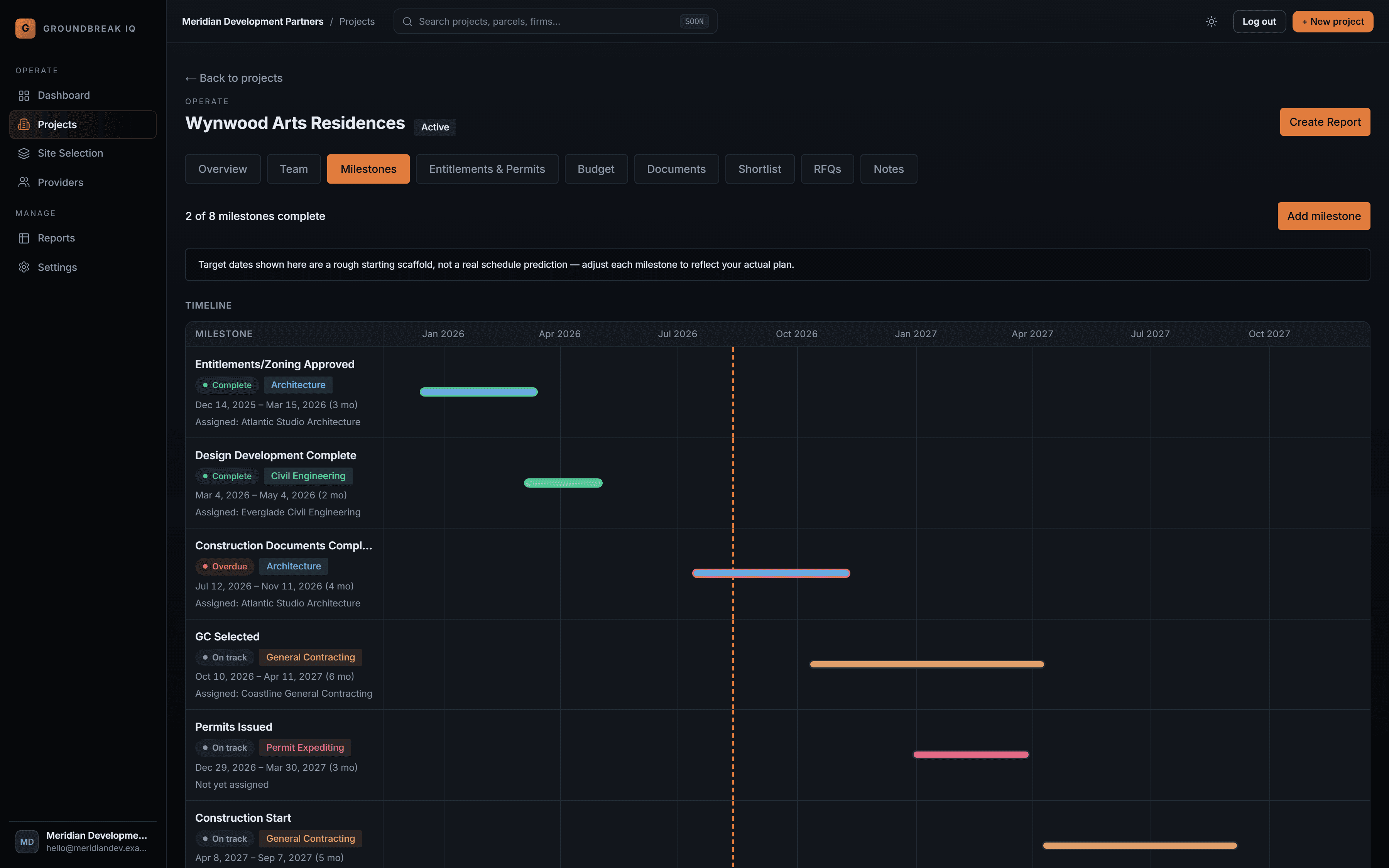
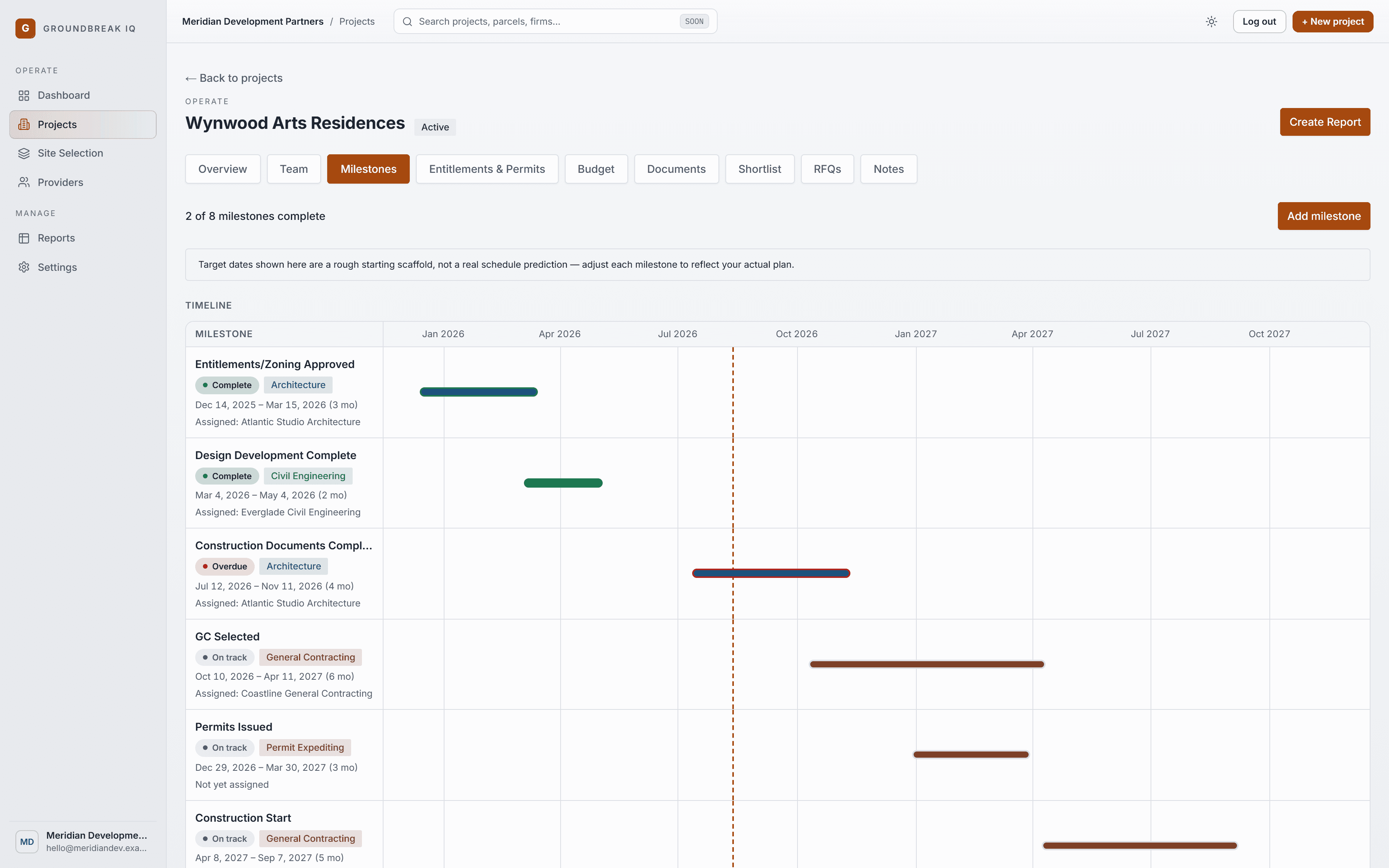
The Milestones tab: every milestone as a bar coloured by discipline, with its computed status and the firm assigned to it.
One timeline, and it is current.
Every milestone across the life of the project, linked to the discipline doing the work and the firm assigned to it.