

Document Management
Every project document, right where you need it.
Keep drawings, contracts, and project files organized in one place.
Part of the Groundbreak IQ project workspace.
Project · Documents
- 5
Accepted types
PDF · Word · Excel · JPEG · PNG
- 25 MB
Maximum size
Checked in the browser and again by the bucket itself.
- 1 hour
Link lifetime
Every open mints a fresh signed URL.
- Private
Storage
Nothing in the bucket is publicly readable.
One allow-list, one cap, one bucket — shared by the Documents tab, entitlement items and RFQ creation, so they cannot drift apart.
The problem
Re: Re: FW: revised site plan (2) FINAL
The current drawing set is in an email, and so are the three that came before it. Nobody is certain which one the contractor priced, and the person who would know is on site.
Groundbreak keeps the files on the project instead. One list, visible to everyone in your organisation working on it, each file carrying what it is, who put it there and when — and that same file is what goes out with an RFQ or gets filed against a permit.
What it does
Files, where the work is.
Three things an email thread cannot do.
Project · Documents · A row
- PDF · Word · Excel · JPEG · PNG
Type
- Up to 25 MB
Size
- You, or a teammate by name
Uploaded by
- Date
Uploaded on
- Project, an approval, or an RFQ
Attached to
The type badge is what "organized by what they are" means here: the file’s real MIME type, labelled, not a folder someone has to maintain.
Document · Access
- Private
Bucket
- 1 hour
Signed URL lifetime
- 5, allow-listed
Accepted types
- 25 MB
Maximum size
- Your organisation
Who can see the row
The allow-list and the cap are checked in the browser and again by the bucket, so a client that skipped the first check still fails the second.
Document · Attachment points
Project
The Documents tab. Everything lives here.
Entitlement item
Filed against one specific approval.
RFQ
Sent out with the scope, to every invited firm.
The database enforces same-project on both links, so a file cannot leak into another project even by reference.
See it in the product.
The file list as it appears inside a live project workspace.
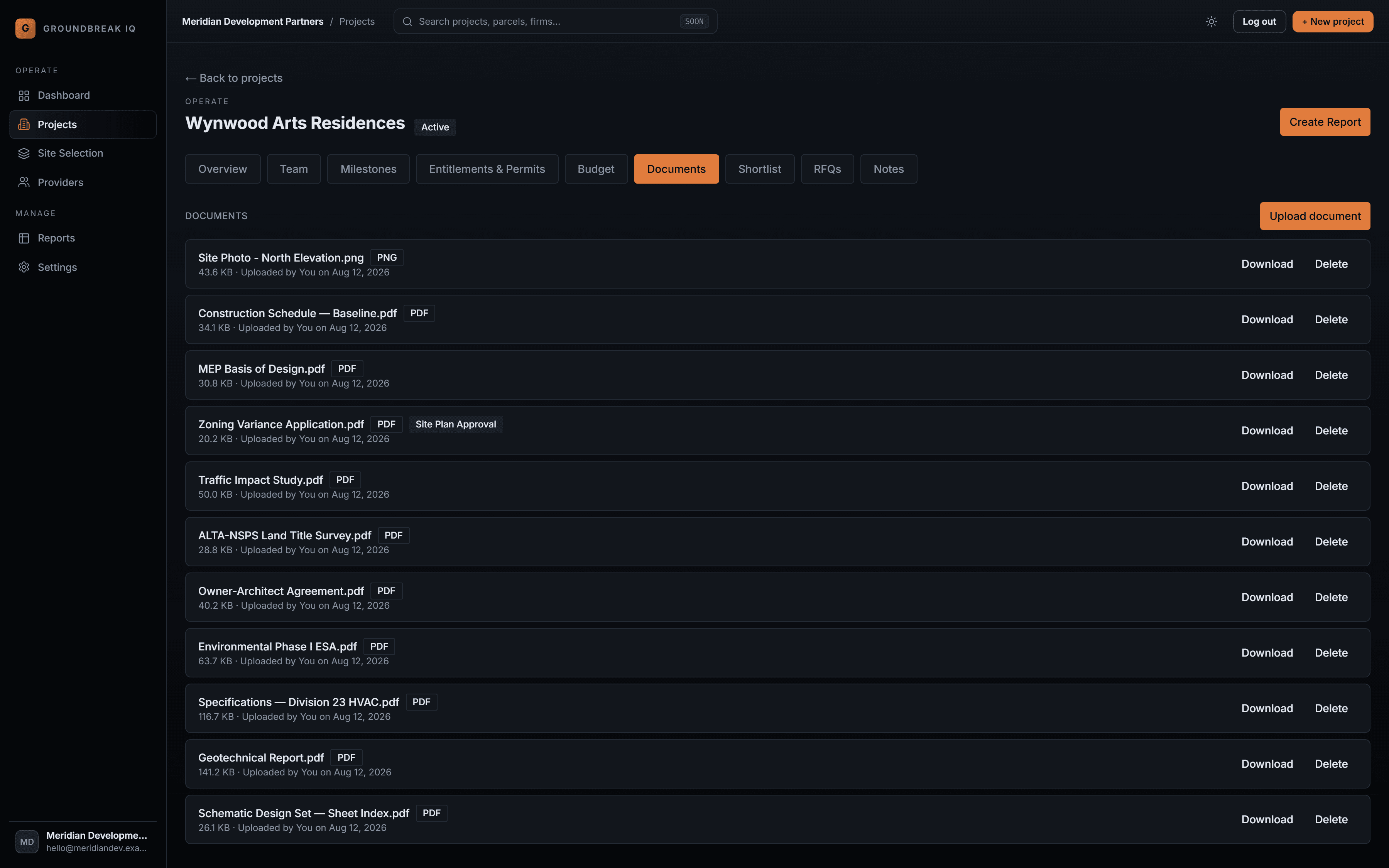
Every file on the project, carrying what it is, how large it is and who put it there — and the zoning application badged with the approval it was filed against.
Put the drawings where the project is.
One file list per project, private by default, referenced wherever the file actually matters.